Pairing two serif fonts can feel risky, but mixing Didot with Caslon gives fabrica project headings a distinct editorial edge. This combination matters because it balances sharp, high-contrast modernism with organic, old-style warmth. When designing luxury packaging or high-end branding, this specific pairing creates a visual hierarchy that feels both exclusive and deeply rooted in craft.
Why pair two serif fonts for fabrica projects?
Most typography rules suggest pairing a serif with a sans-serif to guarantee contrast. However, artisanal and high-end fabrica projects often require a more heritage-rich aesthetic. Using two serifs creates a cohesive, traditional look that still feels fresh if the styles contrast enough. Didot brings a sharp, fashionable display presence, while Caslon grounds the design with readable, historical familiarity. If you are focused on choosing timeless typefaces for premium packaging, this dual-serif approach signals quality and attention to detail without relying on modern minimalist tropes.
How do you establish visual hierarchy between Didot and Caslon?
The secret to making this work is extreme contrast in scale and weight. Didot should act as the primary display face for your main headings. Its dramatic thick and thin strokes demand attention and look best at large sizes. Caslon should serve as the secondary typeface for subheadings, deck text, or introductory paragraphs. Because Caslon has a much lower contrast between its thick and thin strokes, it remains highly legible at smaller sizes. This clear division of labor prevents the two fonts from competing for the reader's attention.
What are the common mistakes when mixing these typefaces?
Designers often run into trouble when they treat both fonts as equals. Here are the most frequent errors to avoid:
- Using Didot for small text: The hairline strokes in Didot disappear or break apart at small point sizes, making it illegible for body copy or small subheads.
- Matching sizes too closely: If your Didot heading is 48pt and your Caslon subhead is 36pt, the hierarchy collapses. Push the Didot much larger, or drop the Caslon significantly smaller.
- Ignoring weight variations: Using the exact same bold weight for both fonts creates visual mud. Stick to Didot Bold or Regular for headlines, and use Caslon Regular or Italic for supporting text.
When should you use a sans-serif instead of Caslon for subheadings?
While Caslon adds warmth, it can sometimes make a layout feel too heavy or overly traditional. If your fabrica project leans toward a more contemporary, minimalist aesthetic, the double-serif approach might weigh down the design. In those cases, mixing serif and sans-serif styles for luxury branding can provide the necessary visual relief. A clean geometric sans-serif under a Didot heading will open up the white space and give the layout a more modern, editorial feel.
How do you adjust tracking and leading for this specific pairing?
Letter spacing and line height require different treatments for each font to maintain their individual characteristics.
- Didot Tracking: At large display sizes, tighten the tracking slightly so the letters feel connected and cohesive. Avoid adding extra space between Didot letters, as it breaks the delicate visual rhythm of the hairlines.
- Caslon Tracking: At smaller subheading sizes, give Caslon a bit more breathing room. Slightly open tracking improves readability and prevents the ink traps and serifs from clumping together.
- Leading: Keep the line height generous for Caslon subheads. A good rule of thumb is to set the leading at least 20% to 30% larger than the point size to let the old-style serifs breathe.
Practical checklist for your next layout
Before finalizing your fabrica project headings, run through these quick checks to ensure the typography is working as intended:
- Verify that Didot is only used at 24pt or larger to preserve its hairline details.
- Check that the Caslon subheadings are at least two to three visual steps smaller than the main Didot heading.
- Print a physical proof or zoom out to 25% on your screen to see if the visual hierarchy holds up from a distance.
- Ensure you are using authentic, high-quality font files rather than free web approximations, which often lack the proper kerning pairs for luxury design.
For more specific layout examples and spacing grids, review our extended notes on these classic elegance pairings to see how professional studios handle the exact measurements.
Try It Free Classic Elegance in Wedding Fabrica Font Pairings
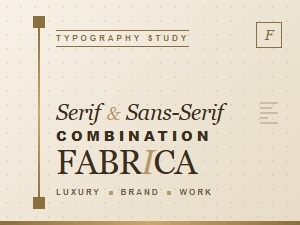 Classic Serif and Sans Serif for Luxury Fabrica Work
 Selecting Timeless Fonts for Luxury Fabric Packaging
 Classic Fonts for Elegant Fabrica Portfolio Presentations
 Mastering Bohemian Font Pairings for Handcrafted Projects
 The Essential Guide to Modern Minimalist Font Pairing